



Accessing Your Purchased Courses on Algorithm Institute
Once you have enrolled in courses, knowing how to find and access them efficiently helps maintain a consistent learning routine. The platform organizes your courses in a dedicated section that is easy to navigate.
Locating Your Courses
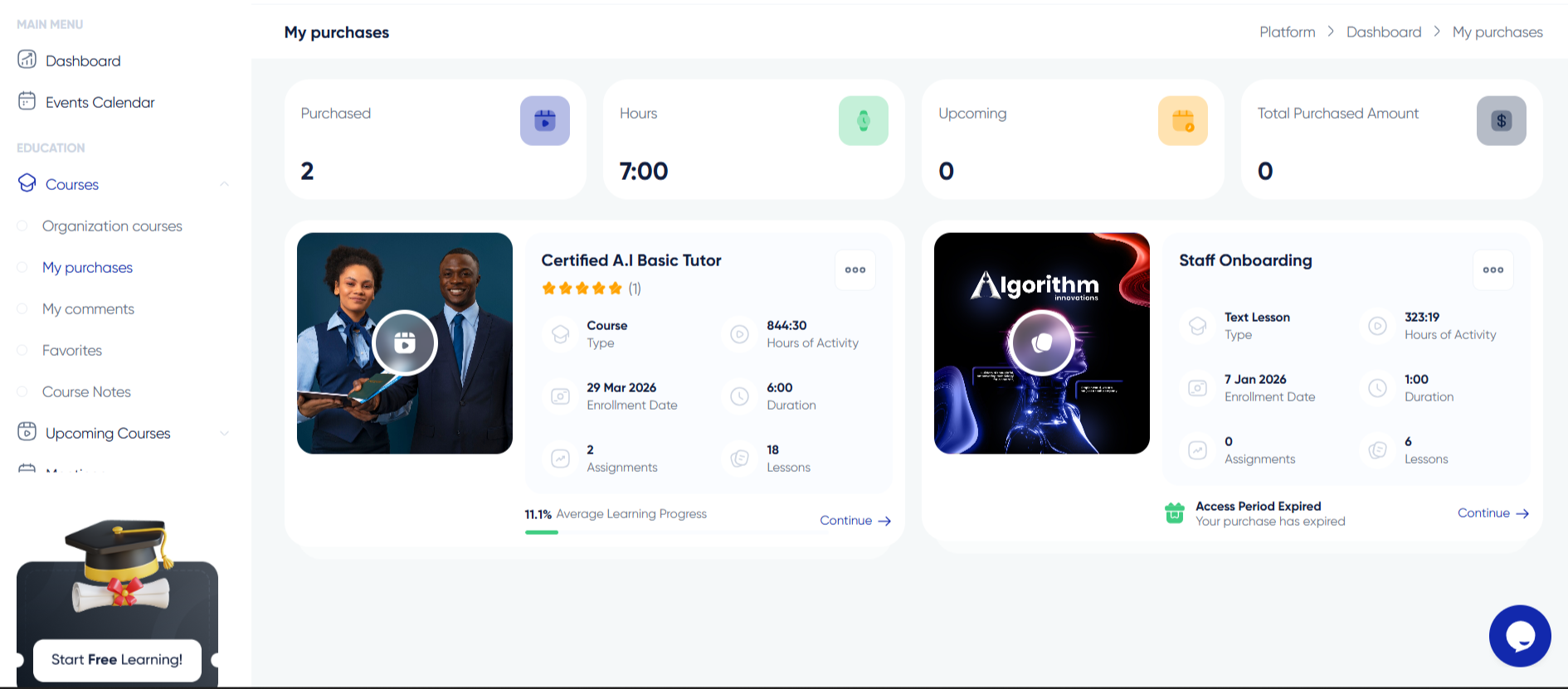
After logging in, look for the "My Courses" or "My Learning" section in the main navigation or dashboard. This page displays all courses you have enrolled in, whether free or paid. Each course shows as a card with its title, progress bar, and last accessed date.
Understanding the Course List
The course list can be sorted by recently accessed, progress percentage, or alphabetically. In-progress courses appear at the top by default. Completed courses show a certificate icon. Use the search bar to find a specific course quickly.
Accessing Course Content
Click any course card to enter the course player. The interface includes a sidebar with all modules and lessons listed in order. The main content area displays the current lesson with video, text, code examples, or interactive elements. Use navigation arrows to move between lessons.
Revisiting Completed Lessons
You can revisit any lesson anytime, even after completing it. Simply navigate to the lesson in the sidebar and click. This is useful for review or referencing specific material during later assignments.
Offline Access
Some courses offer offline access to downloaded materials. Check the course description for downloadable resources including video lessons, PDF guides, and code samples for studying without an internet connection.
Course Access Duration
Most courses provide lifetime access once purchased. Some courses may have access expiration dates, especially cohort-based or subscription courses. Check the course details page for specific access terms.








Reply to Comment