




Editing and Updating Your Blog Post on Algorithm Institute
Blog posts are not set in stone. As you learn more or technology evolves, you may need to update published articles. Algorithm Institute makes it easy to revise and improve content even after publication.
When to Update
You may have discovered a mistake or outdated information. New platform features or technology changes may require revisions. Reader comments might suggest improvements. Updating keeps your blog relevant and trustworthy.
Step 1: Find Your Post
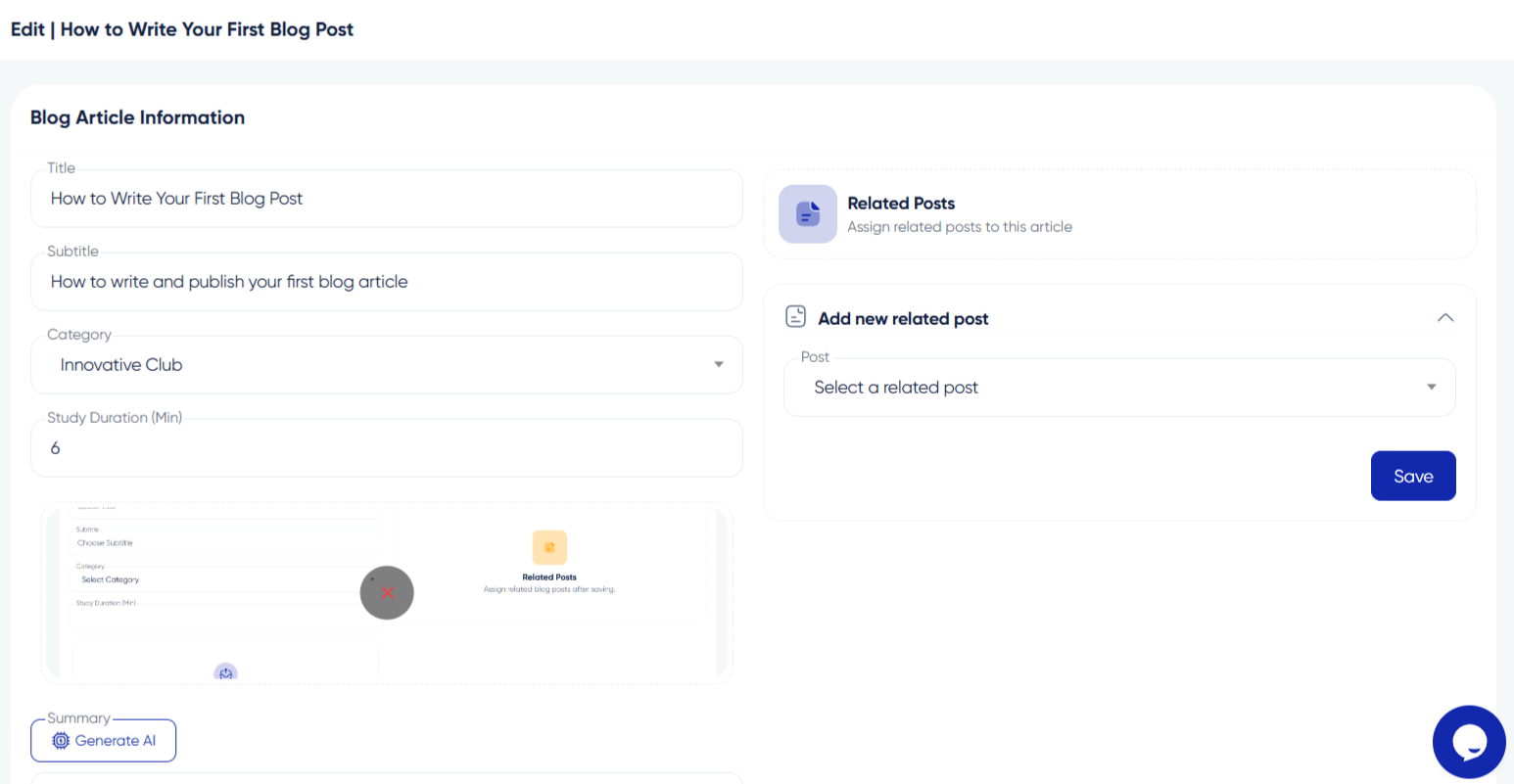
Navigate to your author dashboard or blog management page. Look for a list of your published posts sorted by date. Search by title or filter by status to find the specific article. Click the title or "Edit" button to open it.
Step 2: Make Revisions
The editor opens with existing content loaded. Make changes to text, images, or formatting. Add new sections, update code examples, replace screenshots, or correct typos. The editor works the same as when creating the original post.
Step 3: Update Revision Log
Consider adding a note at the bottom summarizing what changed and why. This transparency builds trust with readers and shows commitment to maintaining accurate information.
Step 4: Preview Before Saving
Use the preview feature to see how the updated post looks. Check that all images load, formatting is consistent, and links work properly before saving.
Step 5: Save or Republish
Click "Update" or "Save Changes" to apply revisions. Changes go live immediately for published posts. The original URL and publication date are retained.
Communicating Major Updates
For significant changes to popular posts, announce the update in the Algorithm Institute community. Let readers know what is new to drive renewed traffic and engagement.








Reply to Comment