




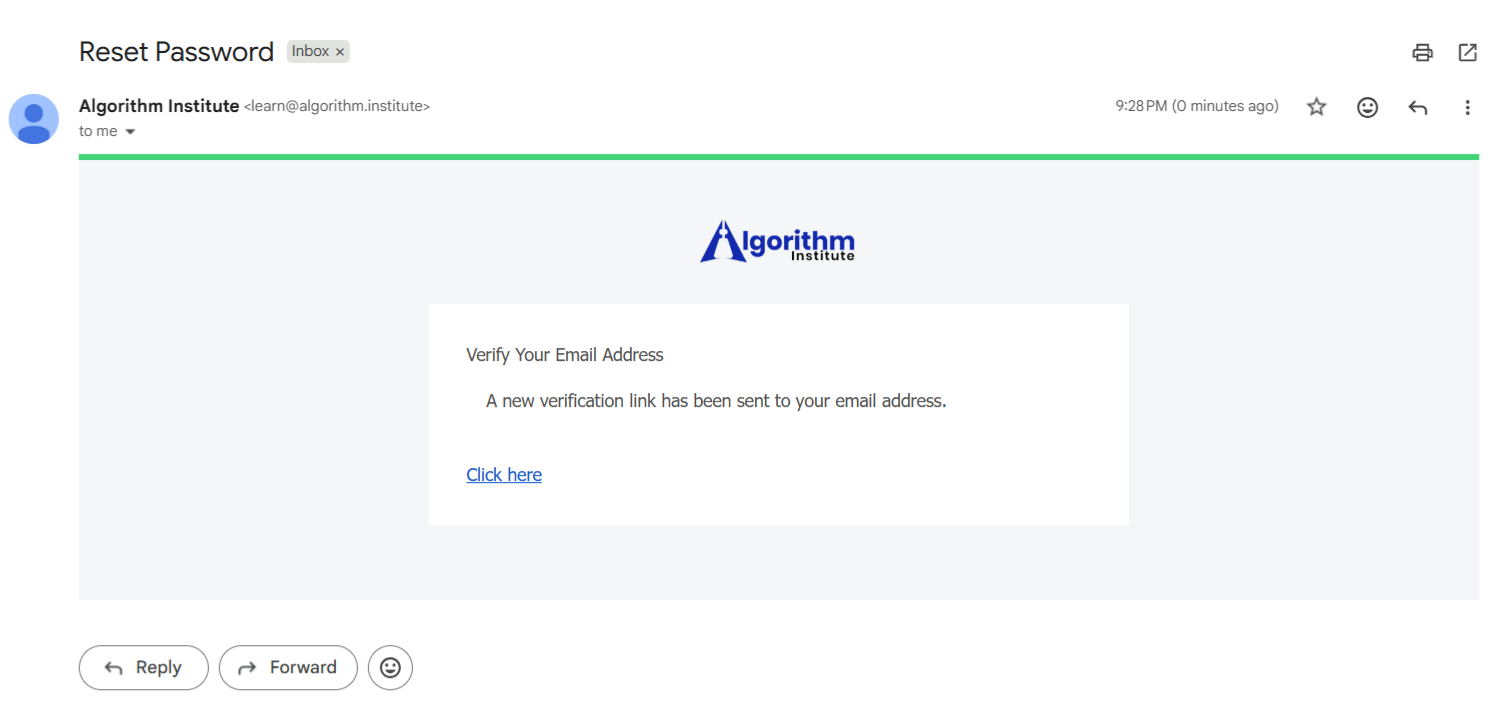

Verifying Your Email Address on Algorithm Institute
Email verification is a critical security step that confirms you own the email address used to create your account. Without it, you cannot access all platform features including course enrollment and certificate downloads.
Why Email Verification Matters
Verifying your email protects your account from unauthorized creation and ensures important communications reach you. It enables password recovery, course updates, and certificate delivery.
Step 1: Complete Registration
When you create a new account, the platform automatically sends a verification email. Ensure you enter your email correctly during registration.
Step 2: Find the Verification Email
Check your inbox for a message from Algorithm Institute with a subject like "Verify Your Email Address." If missing, check spam or promotions folders.
Step 3: Click the Verification Link
Open the email and click the verification button. This unique link expires after 24 hours. If it expires, request a new one from your account settings.
Step 4: Confirm Verification Status
After clicking the link, you will see a confirmation message. Check your account settings for a "Verified" badge next to your email.
Step 5: Resend If Needed
If you deleted the email or it never arrived, log in and navigate to Settings. Click "Resend Verification Email" to receive a fresh one.
What If the Link Does Not Work
Try copying the full URL directly into your browser. If that fails, request a new verification email or contact support.








Reply to Comment