




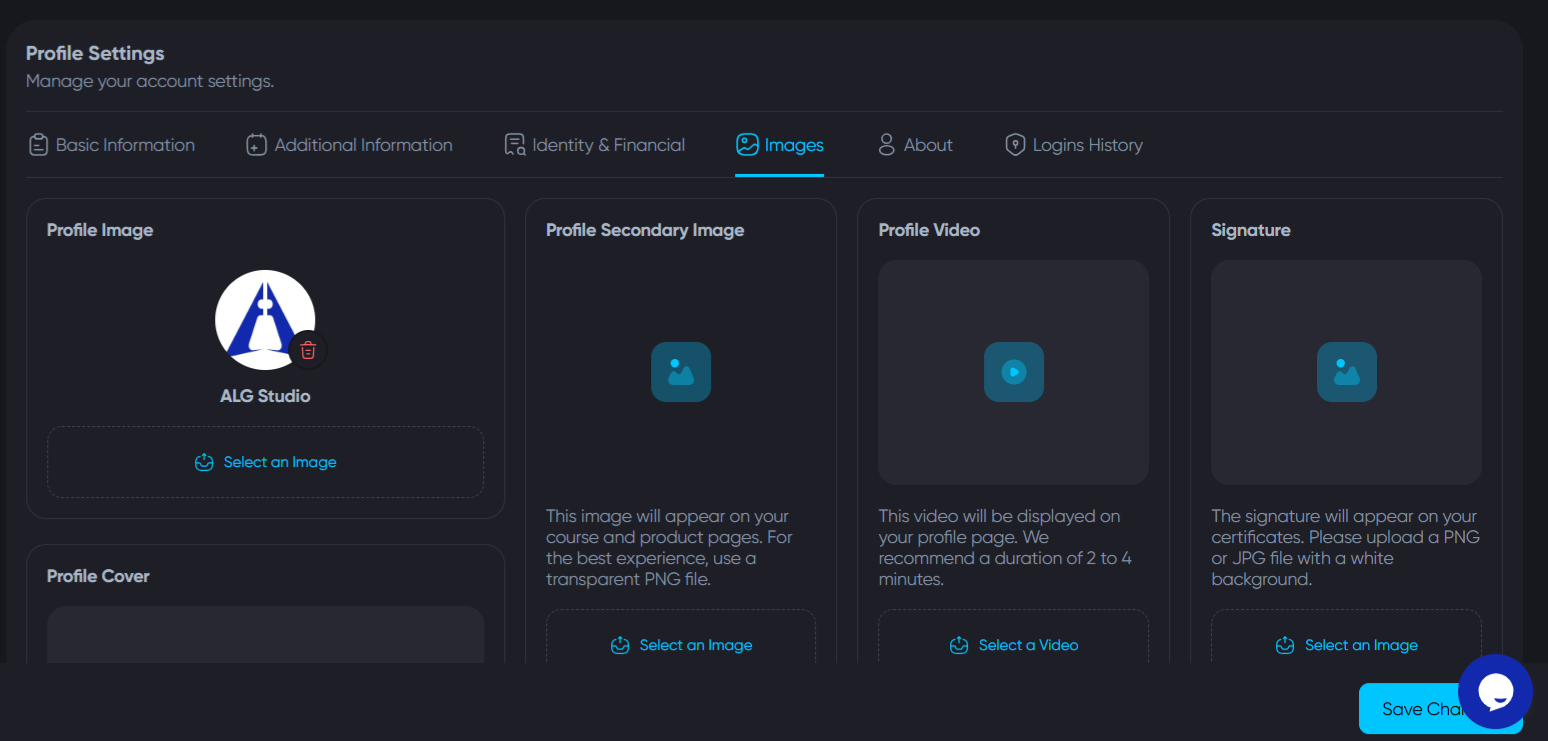

Uploading a Profile Picture on Algorithm Institute
A profile picture adds a personal touch and helps tutors and fellow students recognize you in courses, discussions, and live sessions.
Choosing the Right Photo
Select a clear, well-lit headshot where your face is visible. Avoid group photos or distracting backgrounds. The platform accepts JPG, PNG, and GIF formats.
Step 1: Access Profile Settings
Log in and click your avatar or name in the top-right corner. Select "My Profile" or "Account Settings."
Step 2: Click Upload
Hover over your profile picture and click the camera icon or "Change Photo." Browse to where your photo is saved and select it.
Step 3: Crop and Adjust
Use the cropping tool to focus on your face and shoulders. Preview how it looks as a circular thumbnail. Click "Apply" when satisfied.
Step 4: Check the Result
Your new picture appears immediately. If it looks stretched or blurry, upload a higher resolution version. Recommended size is at least 400x400 pixels.
Removing or Replacing Your Picture
Change your picture anytime by repeating the process. Click "Remove Photo" to revert to the default initial-based icon.
Guidelines
Do not upload copyrighted, explicit, or logo images. Algorithm Institute may remove inappropriate pictures. Keep it professional.








Reply to Comment