




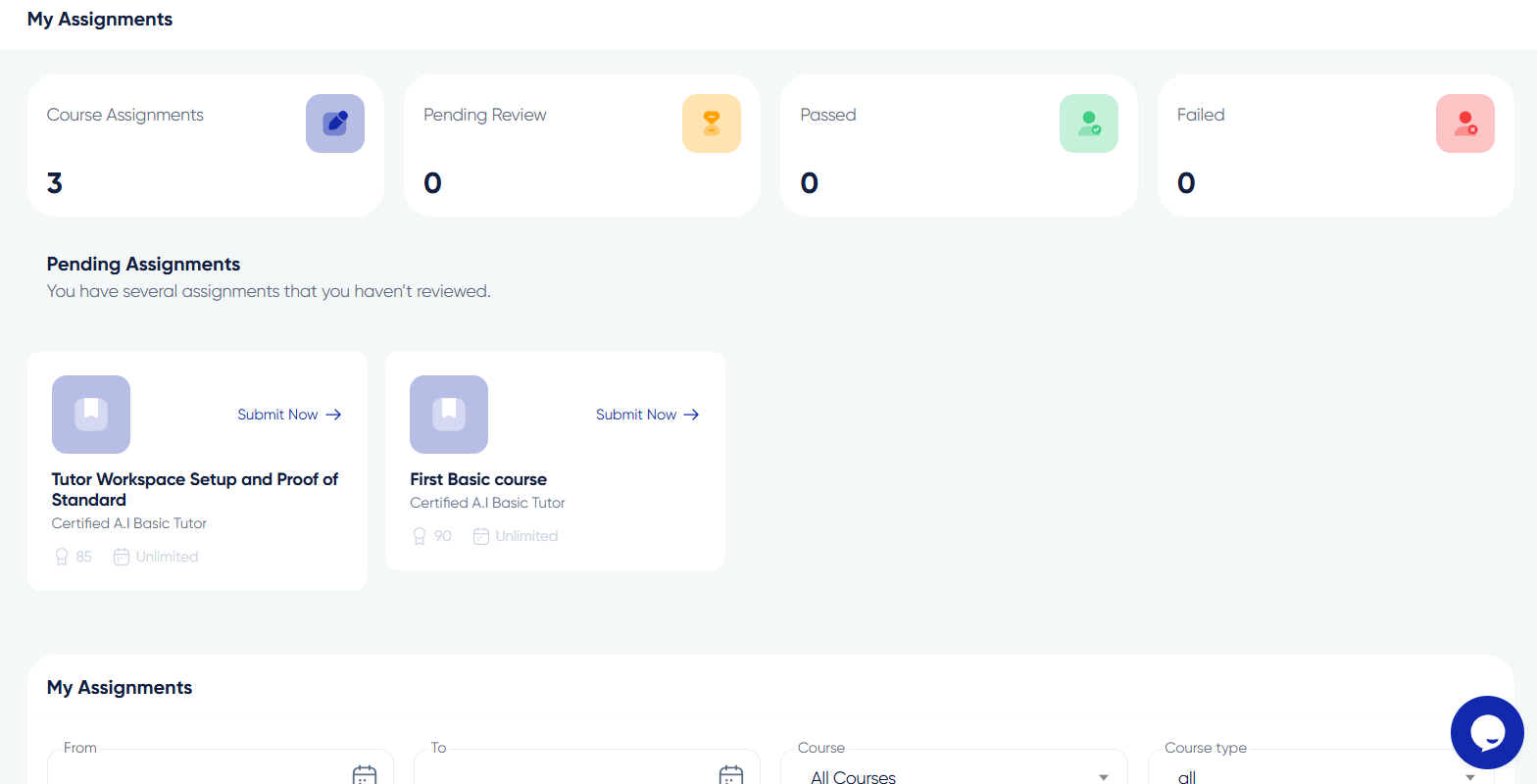

Submitting Assignments on Algorithm Institute
Assignments let you apply what you have learned, receive feedback from instructors, and demonstrate understanding. Proper submission ensures your work is correctly evaluated.
Understanding Requirements
Each assignment includes a description, submission format requirements, deadline, and grading criteria. Some require file uploads while others use integrated code editors or text boxes. Read instructions carefully before starting.
Step 1: Prepare Your Submission
Complete the assignment according to specifications. Ensure files are in accepted formats such as PDF, ZIP, DOCX, or code files. Name files clearly so instructors can identify them. Review your work for errors before submitting.
Step 2: Upload Your Work
On the assignment submission page, use the file uploader to select your completed work. Alternatively, paste or write answers directly in the text area if using an inline editor. Some assignments require both file uploads and written responses.
Step 3: Add Optional Notes
Use the notes field to add comments for the instructor. Highlight challenges faced, ask questions, or mention assumptions made while completing the work. Instructors appreciate context when grading.
Step 4: Submit and Confirm
Click "Submit" to send your assignment for grading. A confirmation message appears and you receive a submission receipt. The assignment status changes to "Submitted" or "Pending Review."
Resubmitting After Feedback
If the instructor requests revisions, check the feedback, make changes, and upload the revised version. Some courses allow unlimited resubmissions while others have limits. Check the course policy.









Reply to Comment