




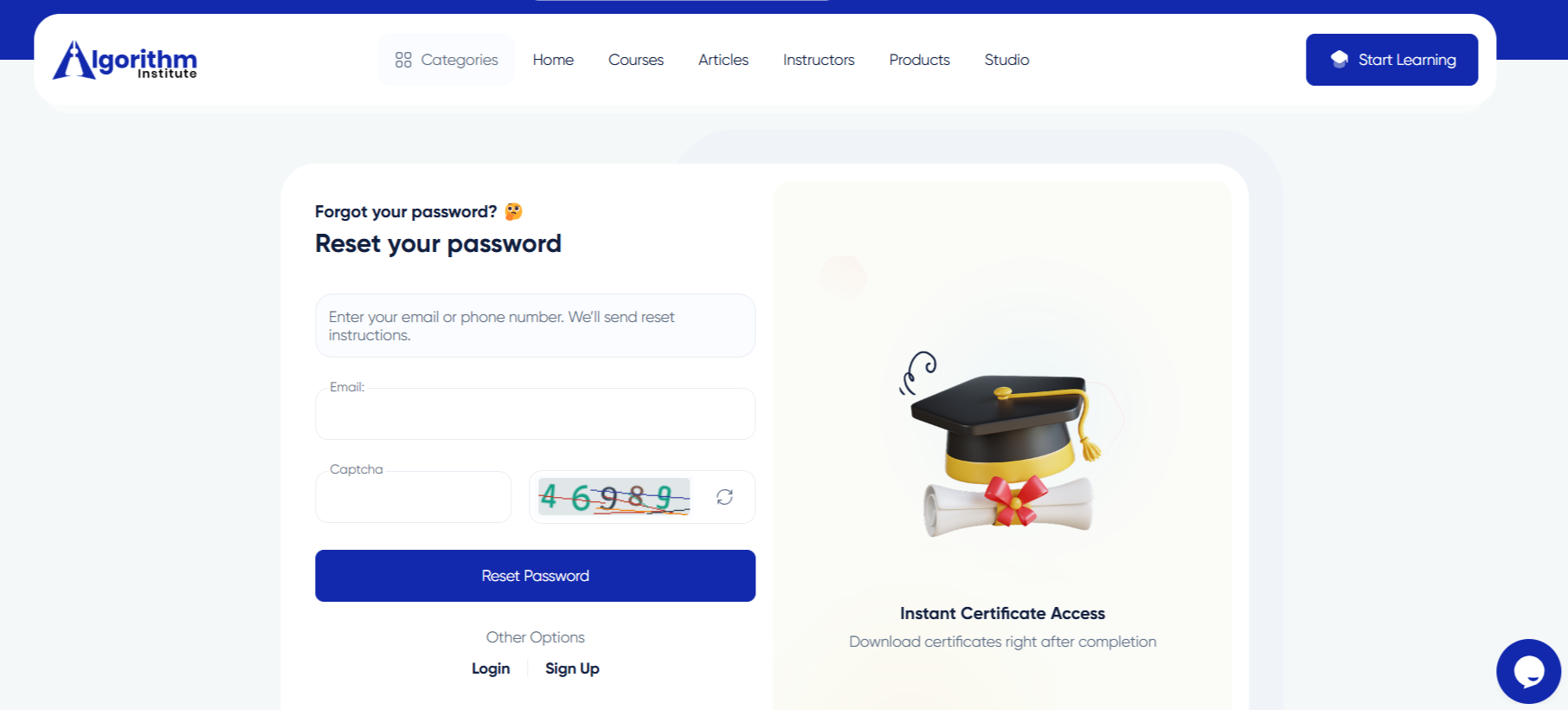

Resetting Your Password on Algorithm Institute
Forgetting your password is common, but Algorithm Institute makes it easy to regain access. The password reset process is secure and straightforward.
When You Might Need a Reset
You may have forgotten your password after a long break, been advised to change it for security, or be logging in from a new device. Whatever the reason, the reset process is quick.
Step 1: Go to the Login Page
Navigate to the Algorithm Institute login page and click the "Forgot Password" link below the password field. Enter the email address associated with your account.
Step 2: Check Your Email
Algorithm Institute will send a password reset link to your inbox. It usually arrives within minutes. Check spam or junk folders if you do not see it.
Step 3: Click the Reset Link
Open the email and click the password reset button. This link is time-sensitive and expires after one hour. If it expires, request a new one.
Step 4: Create a New Password
Choose a strong, memorable password combining uppercase and lowercase letters, numbers, and special characters. Confirm it by typing again.
Step 5: Log In with Your New Password
Once reset is complete, return to the login page and sign in with your new credentials.
Keeping Your Password Safe
Consider using a password manager. Enable two-factor authentication for extra security. Change your password periodically.








Reply to Comment