





Getting Started with Your Algorithm Institute Account
Creating an account on Algorithm Institute is your first step toward accessing a world of tech education. The platform offers courses ranging from beginner programming to advanced software engineering, and everything starts with a simple sign-up process.
What You Will Need Before You Begin
Before you start the registration process, make sure you have a valid email address that you check regularly. You will also need a stable internet connection and about five minutes of uninterrupted time. If you have a Google account, you can use that to sign up instantly.
Step 1: Navigate to the Sign-Up Page
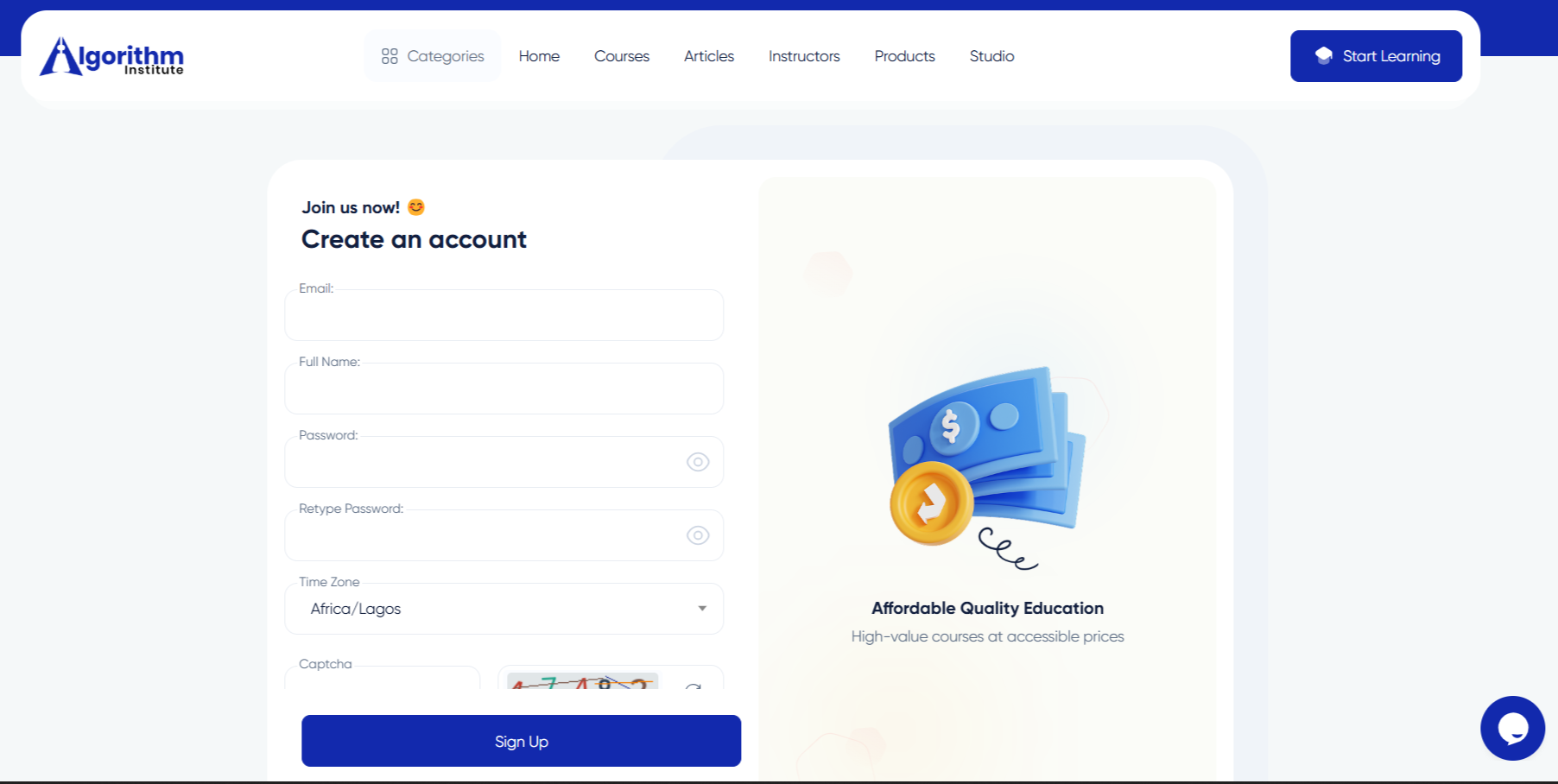
Open your preferred web browser and go to the Algorithm Institute homepage. Look for the "Sign Up" or "Get Started" button, usually located in the top-right corner. Clicking this button will take you to the registration form where you will enter your details.
Step 2: Enter Your Personal Information
The registration form asks for your full name, email address, and a password. Choose a password at least eight characters long that includes a mix of letters, numbers, and special characters. This helps keep your account secure from unauthorized access.
Step 3: Choose Your Account Type
Algorithm Institute offers two primary account types: Student and Tutor. If you are here to learn new skills, select the Student option. If you are an educator looking to teach, select the Tutor option. You can adjust your role later through account settings.
Step 4: Accept the Terms and Conditions
Read through the terms of service and privacy policy. Check the box to confirm your acceptance, then click "Create Account" to submit your registration.
Step 5: Check Your Email for Verification
After submitting the form, Algorithm Institute sends a verification email. Open your inbox, find the email, and click the verification link to activate your account.
What Happens Next
Once verified, log in and explore the platform. Your dashboard shows recommended courses, your learning progress, and announcements. Take time to browse the course catalog and set up your profile.
If you encounter any issues during registration, check our troubleshooting guide or contact support for assistance.









Reply to Comment